Download LinkjobAI V0.3.3

Mac (Intel Chip)
For Mac computers with Intel processors (mostly manufactured before 2019)
Size: 13.42 MB

Mac (Apple Silicon)
For Mac computers with Apple Silicon processors (M1, M2, M3, M4, and newer)
Size: 12.8 MB
Windows
We support the following operating system versions: Windows 7/8/10/11
Size: 8.84 MB
Mac Installation Guide
Tip
Apple could not verify linkjobtech.com ? Just follow these steps:
- Go to System Settings.
- Click on Privacy & Security.
- Scroll down to the Security section.
- You will see "Linkjob AI" listed there. Click the Open Anyway button next to it.
- Go to System Settings.
- Click on Privacy & Security.
- Scroll down to the Security section.
- You will see "Linkjob AI" listed there. Click the Open Anyway button next to it.
Tip
linkjobtech.com is damaged? Just follow these steps:
- Open the Terminal application.
- Paste this code:
xattr -cr /Applications/linkjobtech.app && open /Applications/linkjobtech.app
- Press Enter to run it.
- You will see "Linkjob AI" listed there. Click the Open Anyway button next to it.
- Open the Terminal application.
- Paste this code:
xattr -cr /Applications/linkjobtech.app && open /Applications/linkjobtech.app
- Press Enter to run it.
- You will see "Linkjob AI" listed there. Click the Open Anyway button next to it.
xattr -cr /Applications/linkjobtech.app && open /Applications/linkjobtech.app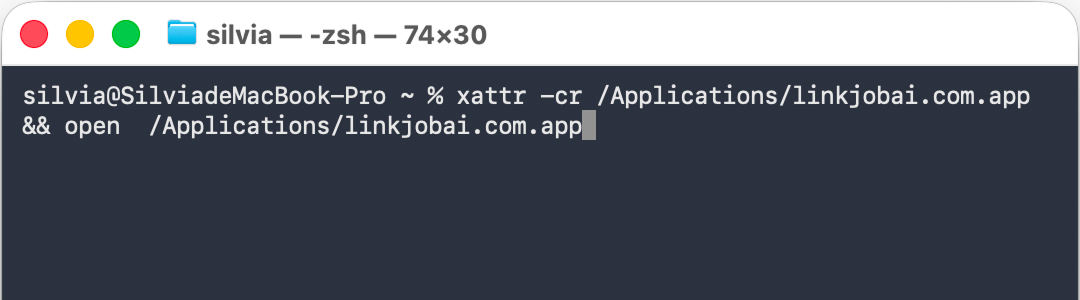
Windows Installation Guide
Tip
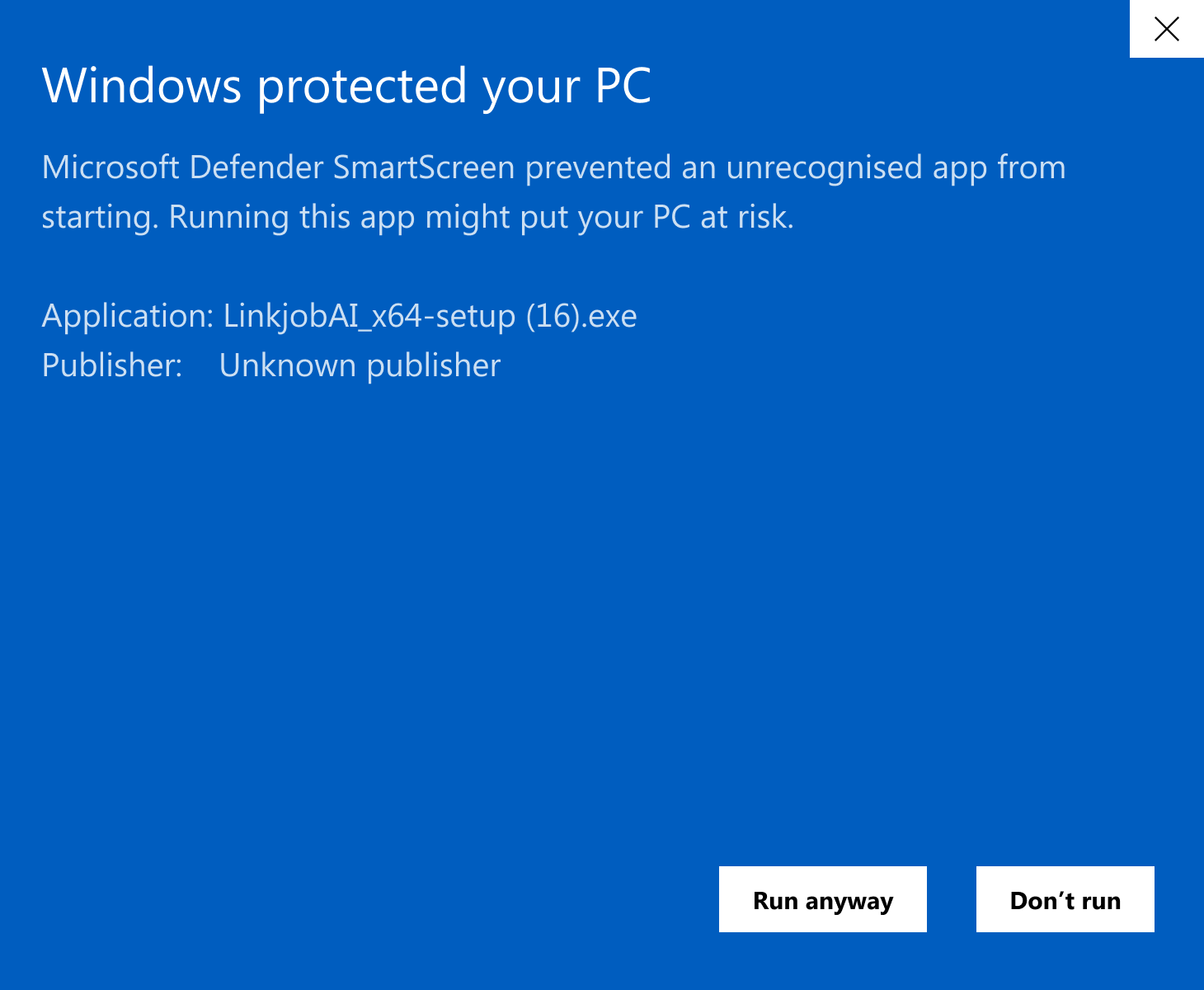
What should I do when Windows prompts Microsoft Defender SmartScreen prevented an unrecognised app from starting or this software is not certified?
Please be assured that our software is completely safe.
- When you see a security prompt, it's simply because our app has been customized to run discreetly in the background, which sometimes triggers a standard security warning.
- You just need to click Keep/Run Anyway to to finish your download.
Please be assured that our software is completely safe.
- When you see a security prompt, it's simply because our app has been customized to run discreetly in the background, which sometimes triggers a standard security warning.
- You just need to click Keep/Run Anyway to to finish your download.